Project Case Study

Library App
UX Review

Discipline Product & UX Strategy
Discovery & Problem Framing Persona Development Stakeholder Mgmt Agile Delivery

A great service. A website that got in the way.

City of Sydney libraries serve a large, active patron base — but the primary digital touchpoint was a website not built for mobile or for speed. Managing loans, holds, and branch visits meant navigating a desktop-era interface on a phone screen.

Patrons needed a purpose-built mobile app with direct integration into the Library Management System — one designed around how they actually use the service, not how the back-end is organised.

Persona-led. Stakeholder-managed.

Discovery began with structured research across patron and staff user groups — identifying pain points, tech comfort, and behavioural patterns. This produced a single primary persona that defined feature priorities and kept every subsequent tradeoff legible.

Internally, stakeholder groups shaped the requirements: IT and Security, Legal and Privacy, Library Services, and Executive Leadership. Externally, the project coordinated several vendors — the app developer, LMS, identity and authentication, and public access IT — ensuring every integration dependency resolved into a seamless patron-facing experience.

A shipped product serving a genuinely active community.

The priority features identified through the persona and CX process made it into the delivered app — live on iOS and Android for all City of Sydney library patrons. Loans, renewals, holds, branch finder, and linked accounts all shipped.

In 2025, more than one million people visited City of Sydney libraries, 1.8 million items were borrowed, and over 20,000 new members joined. The app sits at the centre of that activity — reducing friction for the patrons who use the network most.

"The problem wasn't library services but a non responsive website. The app replaced a clunky digital touchpoint with a mobile-native experience built for direct interfacing with the LMS, shaped entirely by what patrons actually needed at the tap of a screen."
Delivered product  /  iOS & Android
1M+
Patron visits in 2025
Across the City of Sydney library network
1.8M
Items borrowed & accessed
The scale of transactions the app supports
20K+
New members in 2025
A growing base of active patrons
26K
Program participants
Patrons engaged beyond borrowing alone
Key design insights
The channel was the problem

The library service itself was well-regarded. The website was the friction point — not designed for mobile, not integrated tightly enough with the LMS. A purpose-built app with direct LMS access removed the problem at the source.

Availability is the missing layer

Patrons don't just want to know a book exists — they want to know where it is before they travel. Surfacing branch-level availability as a first-class feature turned a catalogue into a logistics tool.

Persona shapes every tradeoff

A power-user persona would push toward richer discovery and reading community features. Anchoring on Sarah kept every decision legible: short sessions, moderate tech comfort, task completion over exploration.

The City of Sydney Library App — an overview of the service and how it works for patrons.
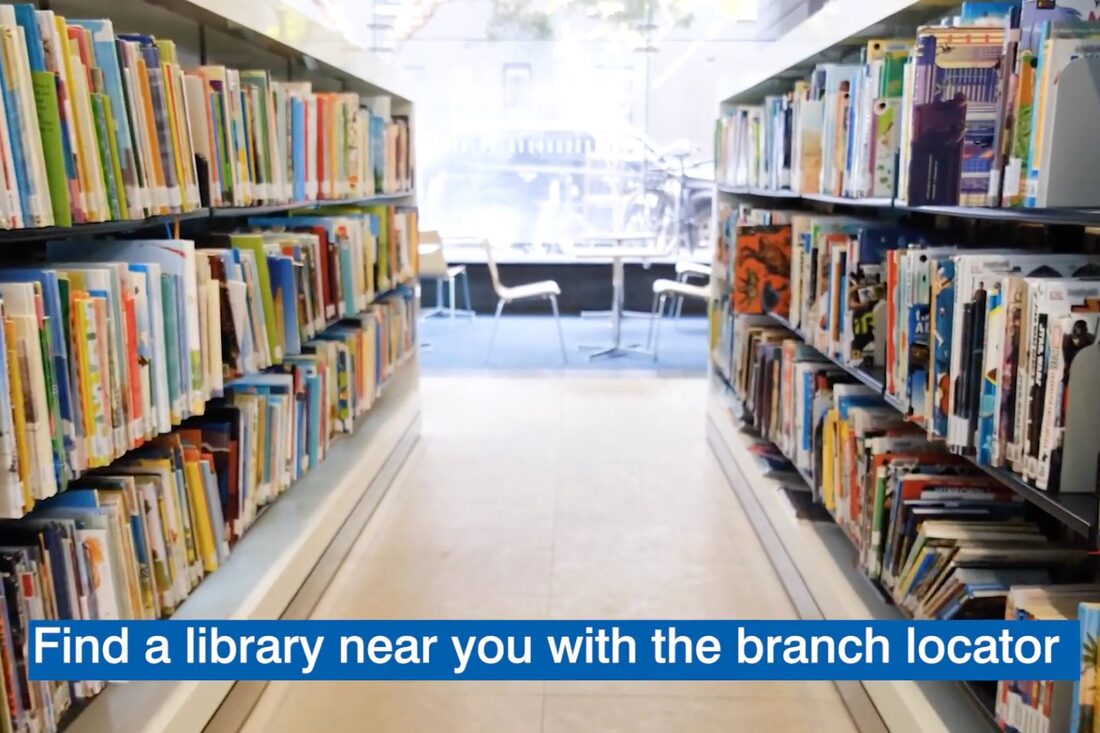
City of Sydney Library App — click to watch on YouTube
Watch on YouTube
User Persona  /  P-01

The Organised Reader

Research method Structured discovery interview
SC
Sarah
Chen
The Organised Reader
Age
38
Location
Inner suburbs, mixed-branch network
Occupation
Office manager, parent of two
Tech comfort
Moderate — daily smartphone user
Visit frequency
Occasional — when necessary
Session style
Short — checks a few things, moves on
"I just want to know where my book is, when it's due, and whether I need to go in — without having to call anyone."
Sarah Chen  /  The Organised Reader

Sarah reads broadly and borrows for herself, her partner, and her kids. She moves between fiction, non-fiction, and children's titles depending on who needs what. She's not a power user — she doesn't browse catalogues for fun — but she relies on the library as a practical household resource. Time is short, and any friction in the system costs her trust.

  • Opens the app with a specific task in mind
  • Checks what she has out and when things are due
  • Renews items without visiting the branch
  • Places holds on titles she's heard about
  • Only visits when a hold is ready or a return is overdue
  • Drives to a branch, finds the book isn't there
  • No clear view of which branch holds a specific title
  • Renewals buried in clunky, desktop-era interfaces
  • Hold status feels opaque — position unclear, timeline unknown
  • Fines appear without warning because due dates slipped by
  • Stays in control of her borrowing without effort
  • Never wastes a trip to the branch
  • Discovers new titles without actively searching
  • Manages family borrowing from a single view
  • Avoids fines and lapses through timely reminders
Stay on top of loans
One clear view of everything out, with due dates front and centre
Find the book, not the branch
Cross-branch visibility before committing to a trip
Manage holds without guesswork
Clear queue position, estimated wait, and pickup-ready alerts
Renew on the go
One tap, confirmed, done — no desktop required
Avoid fines
Timely, useful reminders before anything lapses
Discover without effort
Recommendations that feel relevant, not random
⚠️
Overdue & Fine Alerts
Before it's too late, not after
📦
Hold Ready
Pickup window, branch, expiry date
New Titles
Matched to borrowing history
🕐
Branch Updates
Hours, closures, availability changes
CX Wireframes — Conceptual Direction

5 Key Screens

9:41●●● WiFi 🔋
Good morning
Sarah
4
On Loan
1
Due Soon
1
Ready
Due Soon
BOOK
Inspired — Marty Cagan
Due 31 Mar · 3 days
BOOK
Agile — HBR Press
Due 14 Apr · 17 days
Hold Ready for Pickup
The Creative Act
Waterloo Library · Expires 25 Mar
Because you borrowed Cagan
BOOK
Continuous Discovery
BOOK
The Mom Test
BOOK
Shape Up
BOOK
Obviously Awesome
A
B
C
D
Screen 01

Home Dashboard

Answers Sarah's three core questions without a single tap. The existing website required navigating to account screens before seeing any loan status.

A · Hero summary block

At-a-glance loan status

Three stat tiles — loans out, due soon, holds ready — give Sarah a complete picture before she scrolls. Colour-coded urgency: red = act now, green = ready.

Current gap: no dashboardFix: contextual greeting + live stats
B · Due-soon cards

Inline renew from the home screen

Most time-sensitive loans surface directly with a one-tap Renew button. A greyed button signals the item isn't yet eligible, preventing frustration.

Fix: renew in one tap from home
C · Hold ready pill

Prominent pickup prompt with expiry

When a hold is ready, it appears as a persistent green pill with branch name and expiry date. Sarah sees the window she has to act.

Current gap: hold status buriedFix: expiry-aware pickup prompt
D · Contextual discovery shelf

Passive recommendations based on loans

Related titles appear inline below active loans — not as a tab to find, but in the flow. Triggered by what she's currently reading.

Fix: contextual, not navigational
9:41●●● WiFi 🔋
← BackLoans (4)Renew All
All
Overdue
Due Soon
General
Overdue — Act Now
The Creative Act
Rubin, Rick
⚠ Overdue 2 days · $0.40
Due Soon
Inspired — Marty Cagan
Cagan, Marty
Due 31 Mar · 3 days
General
Agile — HBR Press
Harvard Business Review
Due 14 Apr · 17 days
Dog Man — Dav Pilkey
Pilkey, Dav · Liam's card
Due 20 Apr · 23 days
A
B
C
D
Screen 02

Loans & Renewals

Sorted by urgency first — overdue, due soon, general — with inline renew and visual time indicators. The website showed a flat list with no hierarchy.

A · Status filter chips

Loan triage without digging

Quick-filter chips let Sarah triage by urgency. Tap "Overdue" to see what needs immediate action — no account dropdowns required.

Current gap: flat, unfiltered listFix: status-first filter chips
B · Overdue card

Fine-aware overdue state

The overdue item shows the accruing fine inline, a red progress bar at 100%, and a high-contrast Renew button. Consequence and action in a single glance.

Current gap: fines not surfaced clearlyFix: inline fine + urgent CTA
C · Progress bar

Visual loan timeline

A subtle progress bar under each title shows how far through the loan period she is. Amber at 75%, red at overdue. Replaces mental date arithmetic.

Fix: visual urgency, not just dates
D · Linked account indicator

Family loans in one view

Loans from linked family cards appear in the same list with a subtle account tag. Sarah manages the whole household without switching accounts.

Current gap: family loans require account switchingFix: unified household view
9:41●●● WiFi 🔋
← BackHolds (3)
Ready for Pickup — Act Before Expiry
The Creative Act
Rubin, Rick
Ready
📍 Waterloo Library
Expires 25 Mar · 7 days remaining
In Queue
Continuous Discovery Habits
Torres, Teresa
Waiting
#3 of 8 in queue
Estimated wait
3–5 weeks
Obviously Awesome
Lovejoy, April Dunford
In Transit
Transfer: Newtown → Waterloo
Expected arrival
2–3 business days
A
B
C
Screen 03

Holds Management

Every hold is transparent and actionable. Queue position, ETA, expiry countdown, and branch transfer status — none of which were visible on the website.

A · Ready state with expiry countdown

Pickup prompt with urgency

A hold-ready card shows the branch, an expiry countdown, and a Directions button. Losing the hold and rejoining the queue is now a visible risk, not a surprise.

Current gap: no expiry countdownFix: expiry-aware CTA + branch directions
B · Queue position + ETA

Transparent wait visibility

Position (#3 of 8) and an estimated wait range (3–5 weeks) converts an anxiety-producing mystery into a manageable expectation.

Current gap: queue position invisibleFix: position + estimated wait
C · In-transit state

Branch transfer visibility

Origin and destination branch shown alongside expected arrival window. Sarah knows not to travel until the book arrives at her preferred branch.

Current gap: transfer state not shownFix: live transfer status with ETA
9:41●●● WiFi 🔋
← BackSearch
All
Available now
Near me
Children's
Results for "product management" · 24 found
Continuous Discovery Habits
Torres, Teresa
📍 Waterloo — 1 copy
Glebe — 2 copies
Empowered — Marty Cagan
Cagan, Marty
Newtown — 1 copy
Waterloo — on hold
The Build Trap — Melissa Perri
Perri, Melissa
All branches — on hold
A
B
C
D
Screen 04

Catalogue Search

Branch-level availability surfaces as the primary signal in every result card. The question isn't "does this book exist?" — it's "can I get it now, and from where?"

A · Search input

Persistent, prominent search

Full-width search field stays accessible from any state. Fast and direct — the entry point mirrors the urgency of Sarah's short sessions.

Fix: context-aware, top-of-page
B · Availability filters

"Available now" and "Near me" as primary filters

Filters for available now and near me reframe search around her actual decision-making. Genre filters are secondary but accessible.

Current gap: no availability filterFix: availability as first-class filter
C · Branch availability inline

Where is it — answered in the result card

Each result card shows branch-level availability as coloured pills: nearest branch in blue, available in green, unavailable in grey. No tapping through.

Current gap: availability requires tapping throughFix: branch availability in result card
D · Context-sensitive CTA

One tap to hold, transfer, or queue

The action button changes based on availability: Hold, Transfer, or Queue. Sarah requests a branch transfer directly from the search result — no separate screen.

Current gap: transfer not surfaced in searchFix: context-sensitive CTA per availability
9:41●●● WiFi 🔋
← BackBranches
You
Waterloo ★
Surry Hills
Glebe
Nearest to you · 3 shown
Waterloo Library ★ Home
Open Now
0.4 km
2 holds ready
14 of your wishlist
Surry Hills Library
Closes 5pm
1.2 km
3 of your wishlist
Glebe Library
Open Now
2.1 km
1 of your wishlist
A
B
C
D
Screen 05

Branch Finder

Transforms a branch directory into a decision-making tool. "Is it worth going to this branch today?" is answered before Sarah leaves the house.

A · Contextual map view

Location in space, not just a list

A map thumbnail shows Sarah's position relative to nearby branches. Her home branch is starred. Spatial anchoring before reading a single word.

Current gap: list only, no map contextFix: map + list combined view
B · Home branch card

Personalised home branch with live signals

Preferred branch pinned and starred. Surfaces holds ready for pickup and how many wishlist titles are on the shelf. Real information replaces guesswork.

Current gap: no preference or stock signalFix: home branch pinned with personalised data
C · Closing-soon status

Time-aware open/closed

Branches closing within two hours show "Closes 5pm" in amber. If she's considering Surry Hills, she knows she needs to leave now.

Current gap: binary open/closed onlyFix: time-aware closing status
D · Personalised stock pills

"X of your wishlist available here"

Each branch card shows how many saved titles are currently on the shelf. She picks the branch that has what she wants, not just the nearest one.

Current gap: no personal stock signal per branchFix: wishlist availability per branch